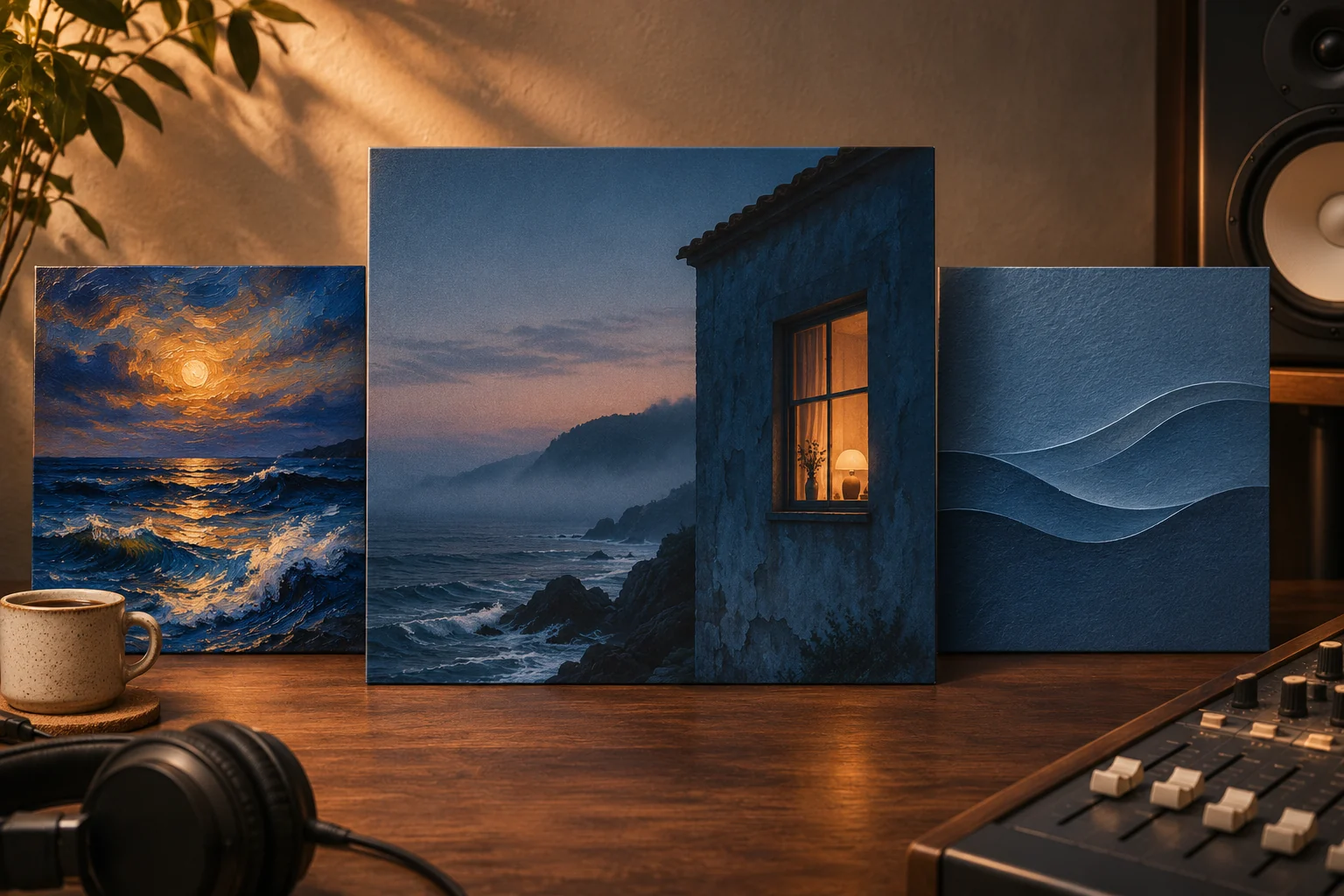
Create AI generated album covers that match your music. Write visual prompts, refine artwork, and use GeminiMusic Studio to shape the track behind the cover.
AI generated album covers are release artwork made with an AI image generator and refined through human selection and editing. A useful cover gives listeners a visual cue to the music. Start with a specific scene, connect it to the track's mood, and check the design at thumbnail size.
Start with the sound before choosing the image
Choose one musical detail that the cover should express. A close, quiet vocal might suggest a single lit window. A dense electronic instrumental might suggest repeated shapes or hard shadows. These choices give the artwork a direction you can explain and revise.
Write a short brief with the release title, emotional tone, main subject, and color palette. For an imagined track called “After the Tide,” the brief could describe a quiet coastal evening, deep blue walls, and one amber window. Keep that scene consistent as you test styles.
Shape the track in GeminiMusic Studio
Use GeminiMusic Studio to develop the audio that guides your artwork. Enter a Style prompt with genre, tempo, instruments, and vocal delivery. You can supply lyrics, choose Auto-generate lyrics, or select Instrumental for a track without vocals.
For the coastal concept, try this original music prompt.
Slow indie electronic song, 84 BPM, soft electric piano, restrained drums, warm bass, intimate vocal, quiet seaside evening, gentle lift in the chorus.
Sign in when prompted, review the displayed credit cost, and generate a draft. Listen for details that suggest a visual texture. Soft piano could support photographic grain. A sharper rhythmic arrangement could support geometric artwork.
Free credits create previews of up to 30 seconds. Full playback and downloads require paid access. Use the available preview to judge the initial mood, then review the complete track before making final artwork decisions.
The GeminiMusic AI music generator also provides a starting point for exploring song ideas. For a more detailed music brief, follow the guide to generating songs from prompts.
Turn the music brief into an album cover prompt
Create the artwork in your chosen image generation tool. Describe visible objects and composition. Translate the music's mood into lighting, texture, and space.
Use this prompt as a starting point for the same fictional release.
Square album cover artwork for a quiet indie electronic release. A single amber-lit window in a deep blue coastal building above a misty sea at dusk. Cinematic photography, subtle film grain, simple composition, clear focal point, open space above the roof for typography. Exclude lettering and logos.
Each instruction has a job. The window gives the image a focal point. The sea connects it to the release concept. Open space leaves room to add the artist name and title in a layout editor.
To compare directions, keep the subject and change one visual treatment. Try a painted version with thick brush texture, then a paper-based abstract version. Listen to the same passage of music while viewing each candidate.
Refine the cover for small screens
Select the image that still reads when reduced to a small square. Inspect edges and reflections at full size. Add typography in a design editor so you can control spelling, spacing, and contrast.
Before export, make these checks.
- Reduce the design to thumbnail size and confirm that the main subject remains clear.
- Check the release title and artist name against your release metadata.
- Inspect the image for accidental lettering and distorted details.
- Save the editable layout and a clean artwork export.
For an EP or album series, reuse the same type placement and color treatment. Change the main image to distinguish each release.
Export for your release destination
As checked on November 17, 2026, Spotify requires square artwork between 640 and 10,000 pixels per side. It lists TIFF, PNG, or JPG with lossless encoding and specifies sRGB at 24 bits per pixel. Prepare the highest available resolution and apply its color and metadata instructions. Spotify cover art requirements
Check your distributor's upload requirements before exporting the final file. Keep a full-resolution master so you can prepare other required versions from the same layout.
Frequently asked questions
What makes AI generated album covers fit a song?
A cover fits when its subject and visual tone connect to audible details in the track. Use a shared brief for the music and artwork. Compare candidates while listening, then test the selected image as a small thumbnail.
How does GeminiMusic Studio help with album artwork?
GeminiMusic Studio develops the song through style prompts, lyrics, and instrumental options. Use the audio to define the cover's mood and subject. Carry that direction into an image generator, then finish the artwork in a design editor.
Should I add text while generating the image?
Generate a clean image with space for text, then add the artist name and release title in an editor. Separate text layers let you correct spelling and adjust placement as the release details change.